
Download GraphicRiver – Affordable Graphics Marketplace, Free Images, Secure Downloads
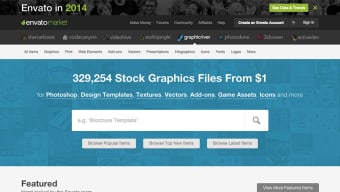
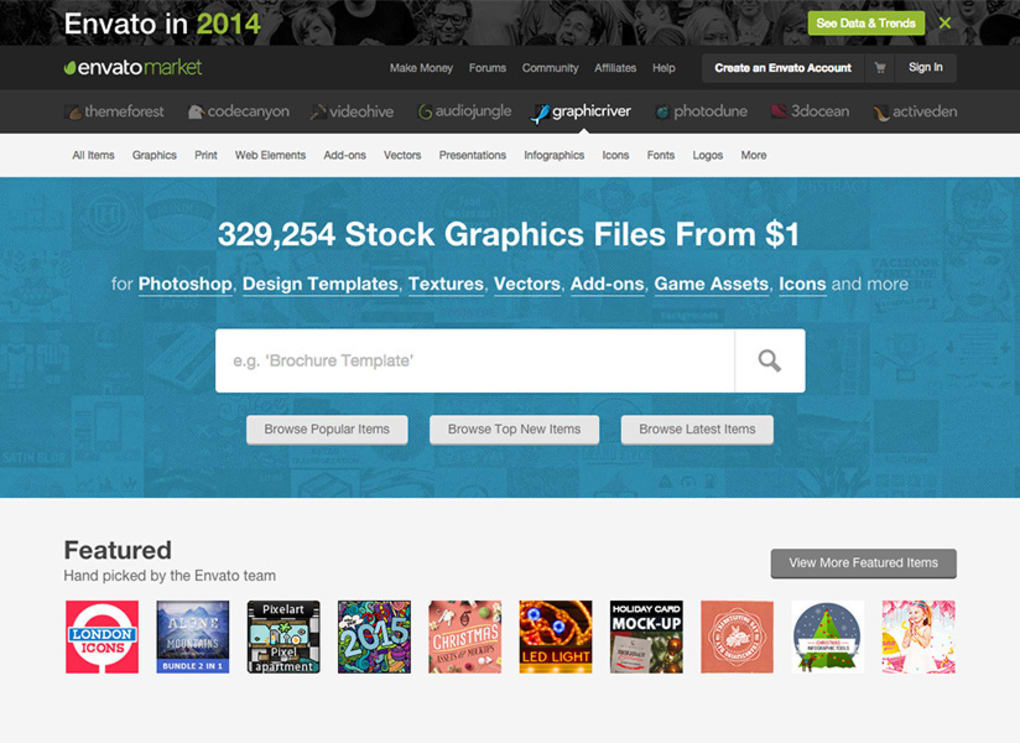
GraphicRiver is a vibrant online marketplace that brings together thousands of talented designers and artists under one roof. Whether you are a freelance graphic designer hunting for a fresh logo concept, a small‑business owner needing a polished icon set, or a t‑shirt entrepreneur searching for a ready‑made print design, GraphicRiver offers a massive, regularly‑updated library of high‑quality graphics at prices that won’t break the bank. The platform is known for its intuitive categorisation, allowing users to browse by subject, style, or file type, and for its monthly selection of free images that let you test the waters without spending a dime. In this review we’ll dive deep into what makes GraphicRiver a go‑to tool for creative professionals, how you can get started quickly, and the pros and cons you should weigh before committing to the service.
Core Features & Benefits
- Extensive Library: Over 500,000 graphics spanning logos, icons, fonts, UI kits, mockups, t‑shirt designs, and more.
- Affordable Pricing: Most items are priced between $2 and $30, with bundle discounts for bulk purchases.
- Monthly Freebies: A curated collection of free images each month gives users a risk‑free way to evaluate quality.
- Search & Filter Power: Advanced filters let you narrow results by file format (AI, EPS, PSD, SVG), color, orientation, and license type.
- Secure Checkout: PCI‑compliant payment gateway supports credit cards, PayPal, and Apple Pay.
- Instant Download: Once the transaction is approved, files are available for immediate, secure download.
- Regular Updates: Contributors upload new assets daily, ensuring fresh trends and seasonal designs are always present.
- License Flexibility: Choose between Standard and Extended licenses depending on the scale of your project.
- Community Support: Each asset includes author bios, comment sections, and direct messaging for custom requests.
- Integration Ready: Files are compatible with popular design tools such as Adobe Creative Cloud, Sketch, Figma, and Affinity Designer.
Getting Started: Installation, Usage & Compatibility
Account Creation & Installation
GraphicRiver is a web‑based platform, so there is no traditional “install” process. To begin, visit the official site and click “Sign Up.” You can register using an email address, Google, or Facebook account. After confirming your email, you’ll have immediate access to the full catalogue. For power users, the Envato Elements extension for Chrome and Firefox provides one‑click previews and direct download links from any search results page.
How to Download Securely
When you locate a graphic that fits your project, add it to the cart and proceed to checkout. The payment page is secured with SSL encryption and offers multiple payment options (credit card, PayPal, Apple Pay). After the transaction, the “Downloads” tab appears in your dashboard, where you can retrieve the original source files in their native formats (AI, PSD, EPS, SVG, PNG, JPG). All downloads are protected by a time‑limited, single‑use link to prevent unauthorized sharing.
Using the Assets in Your Workflow
Because the files are delivered in industry‑standard formats, you can open them directly in Adobe Illustrator, Photoshop, InDesign, or any vector‑compatible editor. For UI kits, simply import the layers into Sketch or Figma. If you need to edit fonts, the included OTF/TTF files work seamlessly on Windows, macOS, Android, and iOS devices after installation.
Supported Platforms: GraphicRiver runs entirely in a web browser, making it compatible with Windows 10/11, macOS Monterey and later, Linux distributions, as well as mobile browsers on Android 12+ and iOS 15+. The downloadable assets themselves are cross‑platform, ensuring you can edit on any OS that supports Adobe Creative Cloud, Affinity, or open‑source alternatives.
Pros & Cons
Pros
- Vast selection of high‑quality graphics at budget‑friendly prices.
- Instant, secure download with no waiting period.
- Monthly free assets provide value without commitment.
- Robust search filters speed up the discovery process.
- Flexible licensing suitable for personal, commercial, and enterprise use.
- Community feedback and author support help resolve issues quickly.
- Regular updates keep the library fresh and trend‑aware.
Cons
- Because assets are sold individually, large‑scale projects may accumulate many small purchases.
- Quality can vary between contributors; thorough preview is essential.
- No native desktop app; reliance on a web browser may be limiting for offline workflows.
- Extended licenses are pricier, which can affect big agencies.
- Search results sometimes include duplicate items under different categories.
Frequently Asked Questions
Is GraphicRiver truly free to use?
GraphicRiver offers a selection of free graphics each month, but the majority of assets are paid. You can download the free items without a purchase, while paid graphics require a one‑time fee.
Can I use GraphicRiver assets for commercial projects?
Yes, provided you select the appropriate license. The Standard license covers most commercial uses (e.g., website, brochure), while the Extended license is required for large‑scale production, resale, or distribution beyond 10,000 copies.
Do the downloaded files need any special software to open?
All files are delivered in common formats (AI, PSD, EPS, SVG, PNG, JPG). You’ll need a compatible design program such as Adobe Creative Cloud, Affinity Designer, Sketch, or a free vector editor like Inkscape.
How secure is the checkout process?
GraphicRiver uses industry‑standard SSL encryption and a PCI‑compliant payment gateway. Your financial information is never stored on the site, and you can choose secure payment methods like PayPal or Apple Pay.
What if I’m not satisfied with a purchase?
GraphicRiver offers a 7‑day refund window for most items, provided the file has not been downloaded. After download, you can still request support from the author for revisions or replacements.
Conclusion & Call to Action
GraphicRiver stands out as a versatile, secure, and budget‑friendly graphics marketplace that caters to a wide spectrum of creative needs. Its massive catalogue, combined with instant download and robust licensing options, makes it an indispensable tool for designers, marketers, and entrepreneurs alike. While the absence of a dedicated desktop client may be a minor inconvenience for heavy offline users, the web‑based experience is smooth, responsive, and compatible with all major operating systems.
If you’re looking to download high‑quality graphics quickly, affordably, and securely, give GraphicRiver a try today. Sign up for a free account, explore the monthly freebies, and start building your visual assets with confidence. Click here to start your download and unleash a world of creative possibilities.



.png)



